Bookings & availability
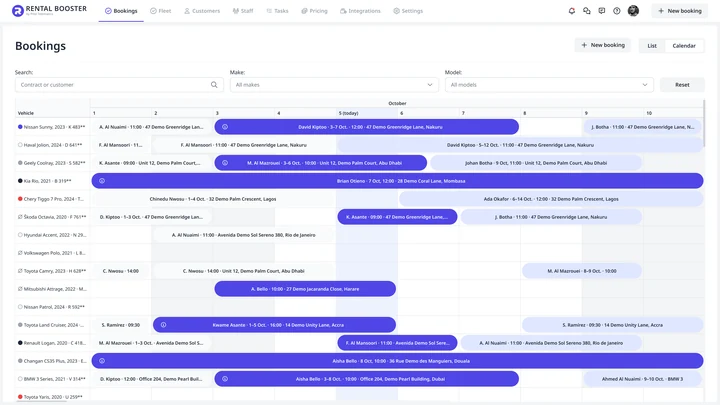
Manage bookings, availability, extensions and cancellations.

30-day free trial
Vehicle rental operations software
Rental Booster is vehicle rental management software for rental teams. It brings customer conversations, bookings, fleet availability, agreements and staff tasks into one system.
Tell us about your fleet. Our team will contact you and help set up your 30-day free trial.
Built for the way you rent
One system for your rental business — from daily rentals and paid test drives to vehicles rented for work, trips and activities.
Tell us how your business runs bookings and handovers. We’ll focus the demo on your workflow.
Any type of vehicle.
Tap a vehicle to see how Rental Booster fits.
Rent a different kind of vehicle? Tell us what’s in your fleet and we’ll tailor the demo.
Connected conversations
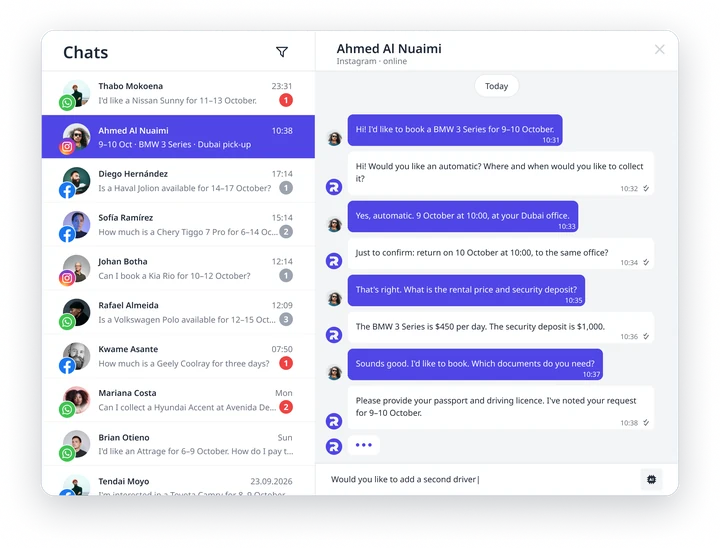
Bring conversations from WhatsApp, Facebook Messenger, Instagram, Telegram and Viber into Rental Booster, so your team can follow up with the right context. Channel availability depends on your market and setup.
Separate inboxes. Customers left waiting.
Switching between apps slows replies and makes inquiries easy to miss.
We’ll focus on the customer channels available for your market and setup.
AI assistant · Coming soon
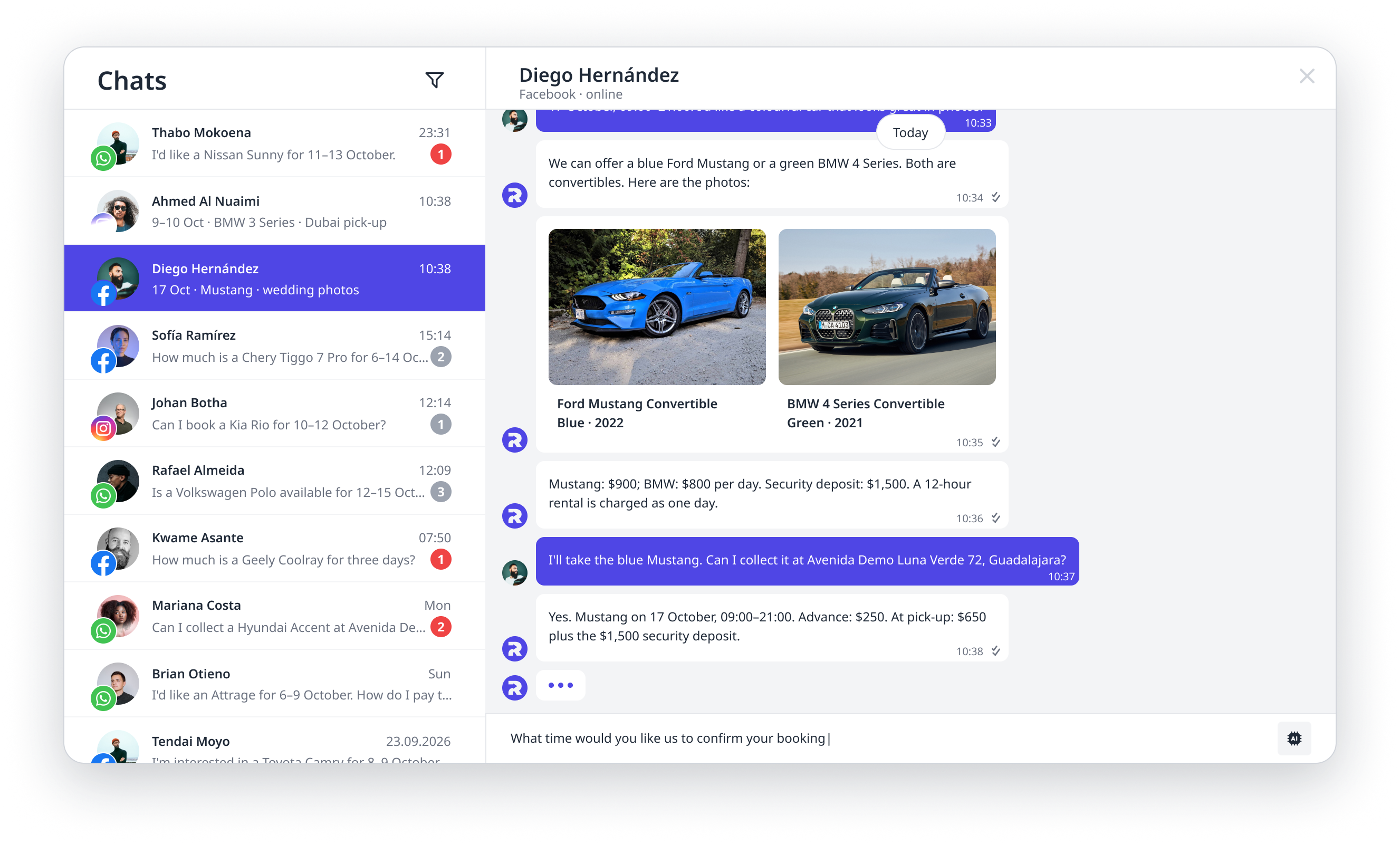
Planned capabilities include 24/7 responses to customer messages, availability and pricing checks, and moving qualified inquiries to a booking or a team handoff.
Leave your details and we'll get in touch when the AI assistant becomes available.
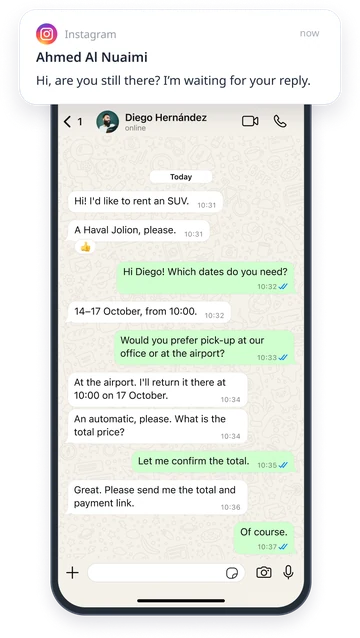
Planned customer conversation flow
Connected services
Connect your customer messaging accounts and booking sources to Rental Booster, alongside rental contract services and Pilot fleet solutions.
We configure the relevant connections for your market, accounts and fleet during onboarding.
Tell us which messaging channels, booking sources, contract services and vehicle monitoring you use.
Inside Rental Booster
Manage the details behind each rental, from availability and pricing to field work and reporting.
Manage bookings, availability, extensions and cancellations.
Track vehicle profiles, status, documents and bookings.
Set rental rates, delivery rules and optional extras.
Keep customer records and prepare agreements for digital signing.
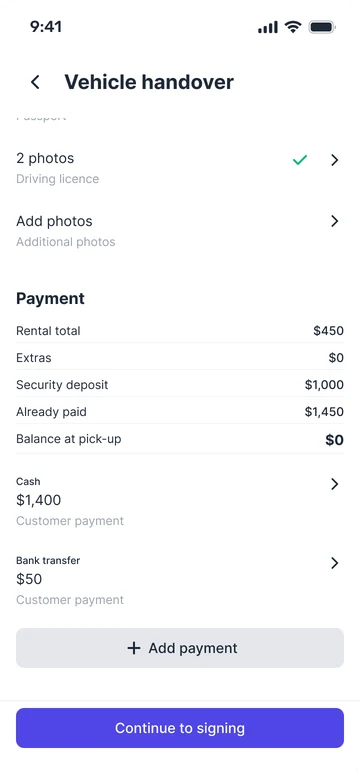
Track prepayments, deposits and balances for each booking.
Set team roles and assign preparation, pickup and return tasks.
Record vehicle condition and handle handovers and returns in RB Tasks.
Review bookings, fleet activity and rental finances.
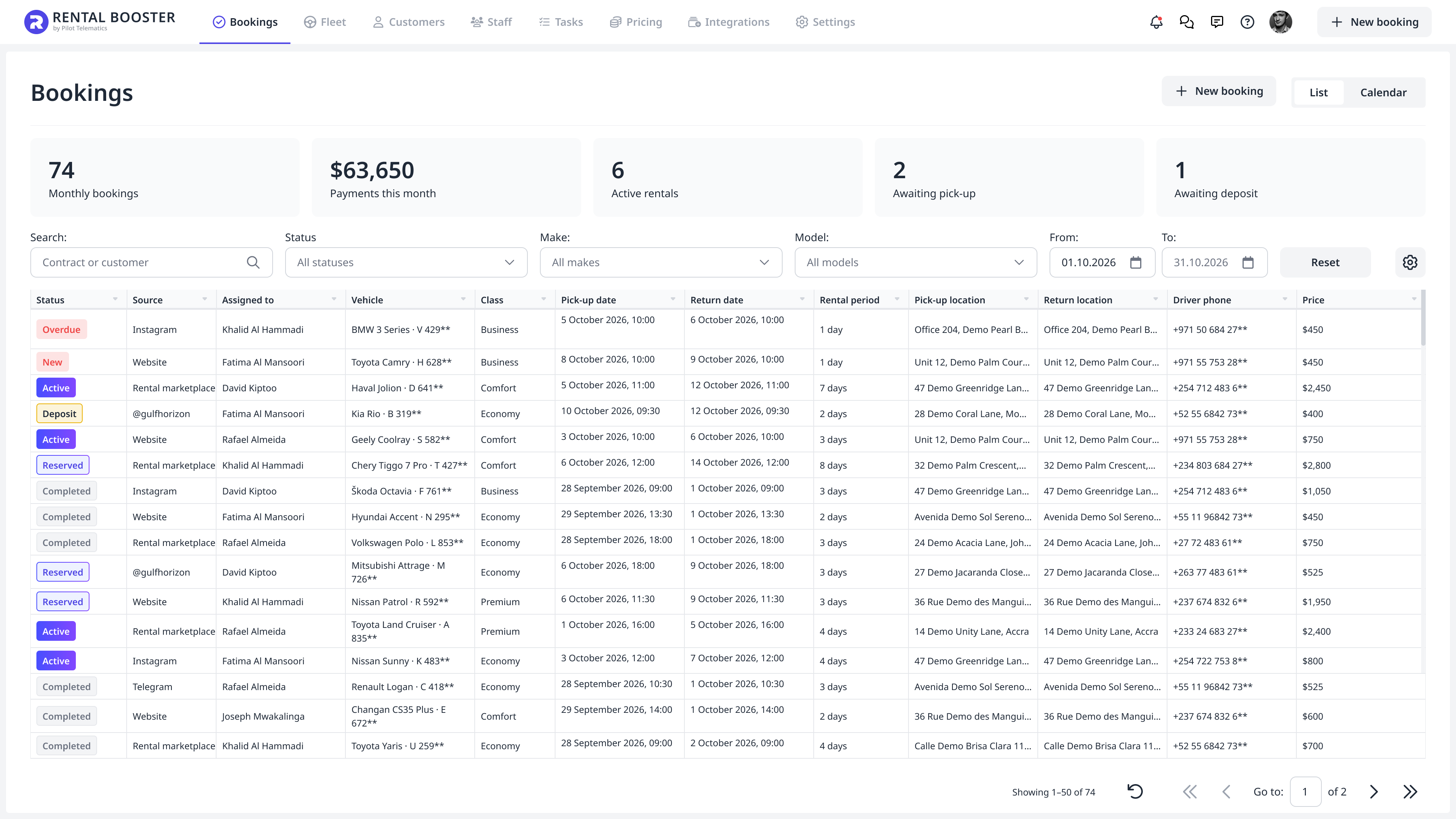
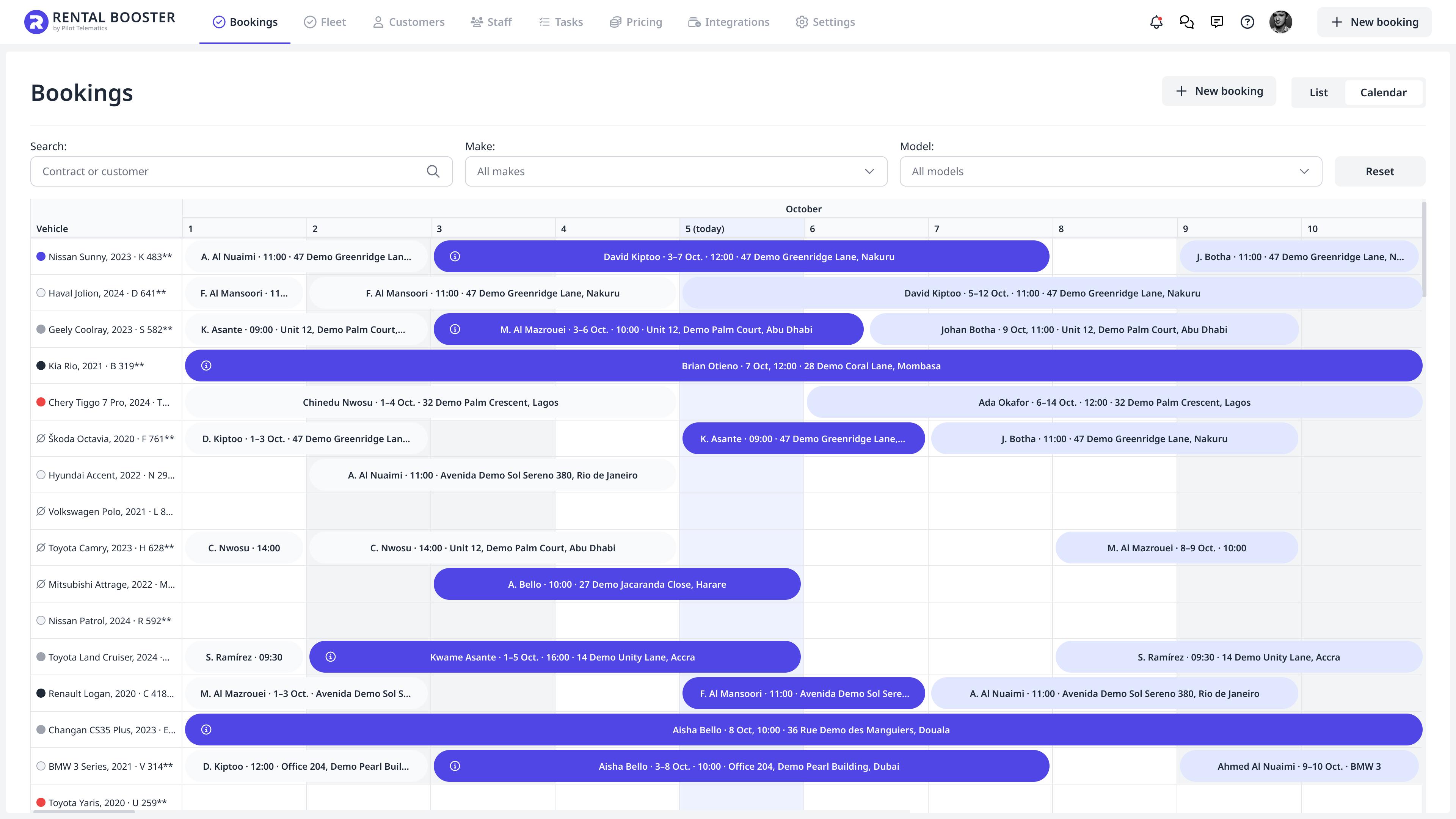
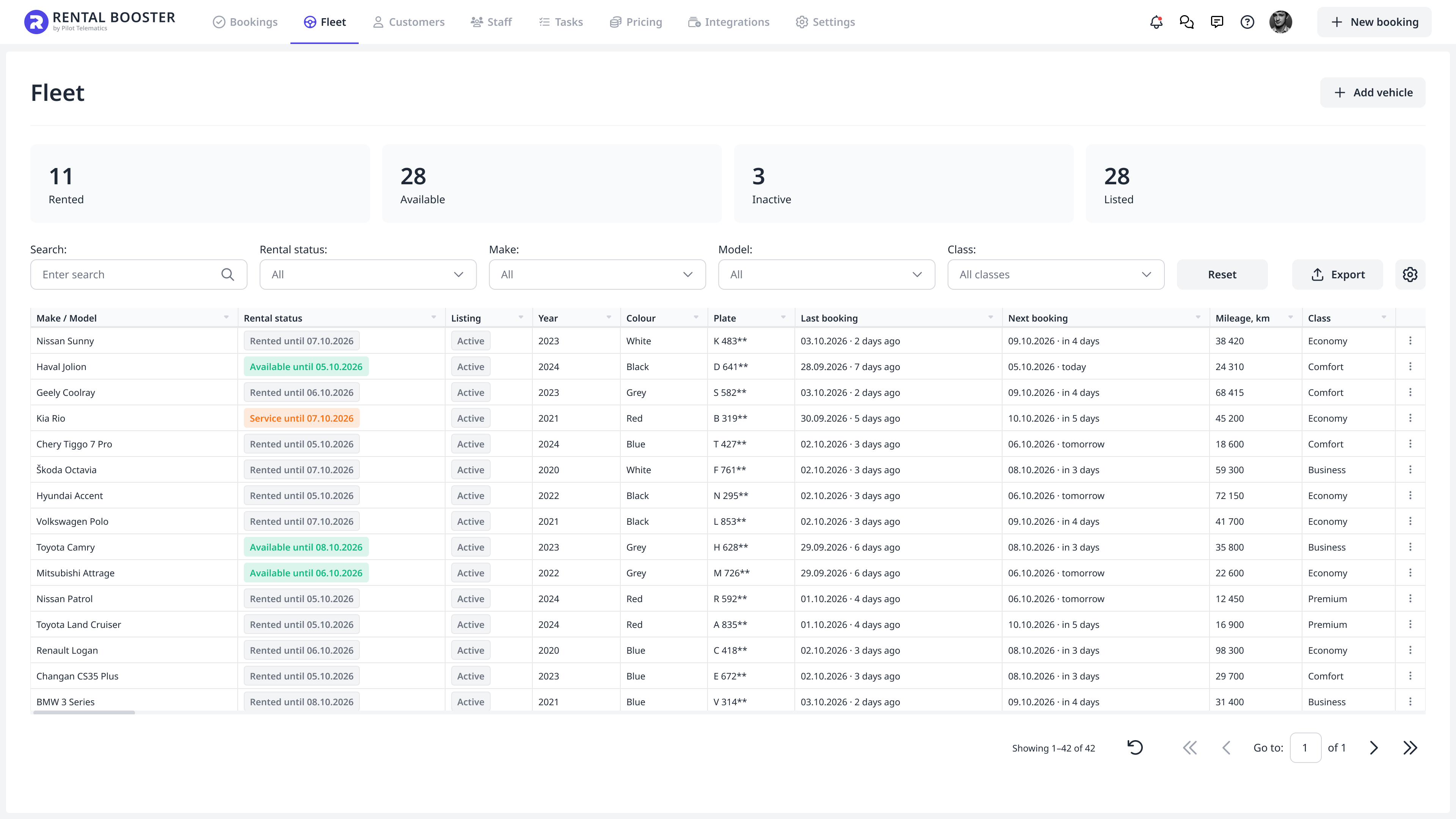
See how the calendar, bookings and vehicle context work together for your fleet.
When rental work lives in different places
Spreadsheets, chats and shared folders split the work around a rental. Follow how Rental Booster keeps the booking, vehicle and next action connected from customer request to completed return.
Booking, vehicle, documents and next action stay together.
Customer details and decisions remain inside chat threads, where the next action can be missed.
Keep the customer request, supported channel and next action visible together.
Availability is checked in a spreadsheet that may already be out of date.
Availability and booking periods are visible in the operating workflow.
Vehicle preparation is coordinated through informal messages.
A visible task is assigned with rental and vehicle context.
The office and field team piece together the vehicle, instructions and required checks.
Fleet staff use RB Tasks to see the assigned task, check the vehicle and record the required confirmation.
Return evidence and documents live in separate folders.
Inspection, completion and document context stay attached to the rental.
Instead of reconstructing the status by asking the team, the owner can see active rentals and exceptions in one operating view.
Tell us how a rental moves through your team today; we’ll make that the focus of the walkthrough.
RB Tasks · mobile app
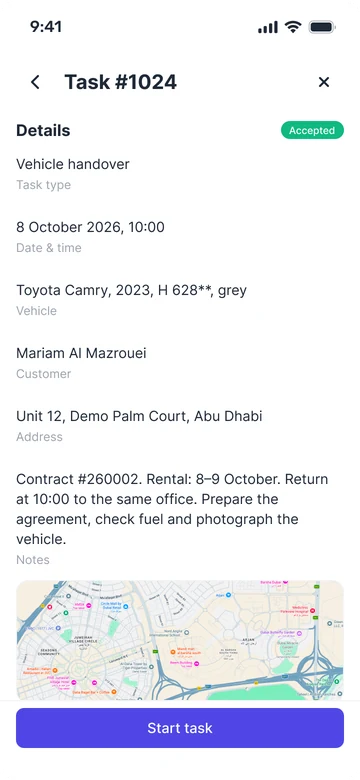
Managers assign work in Rental Booster. Staff use RB Tasks on their phones to see the rental and vehicle details, record the vehicle condition, and complete the handover or return. The office can see their progress.
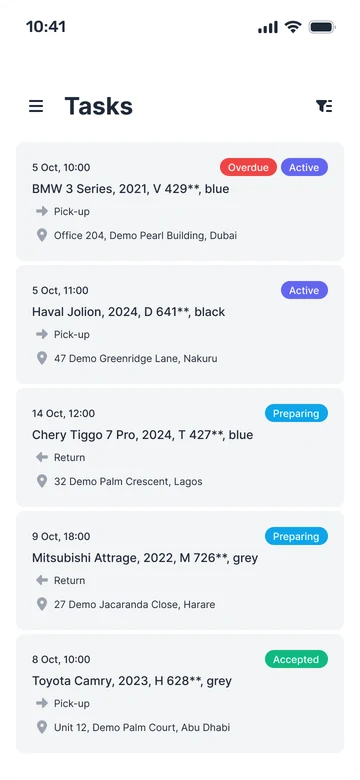
Follow a vehicle handover
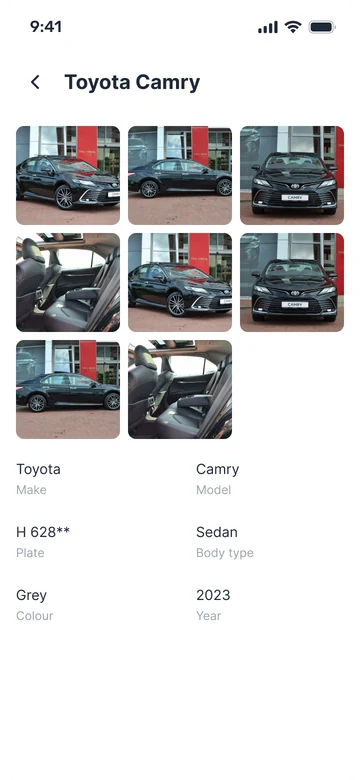
Pick-ups and returns are assigned to staff. Open the accepted Toyota Camry task to follow one handover.


See what field staff do on their phones and how the office follows their progress.
Rental agreements
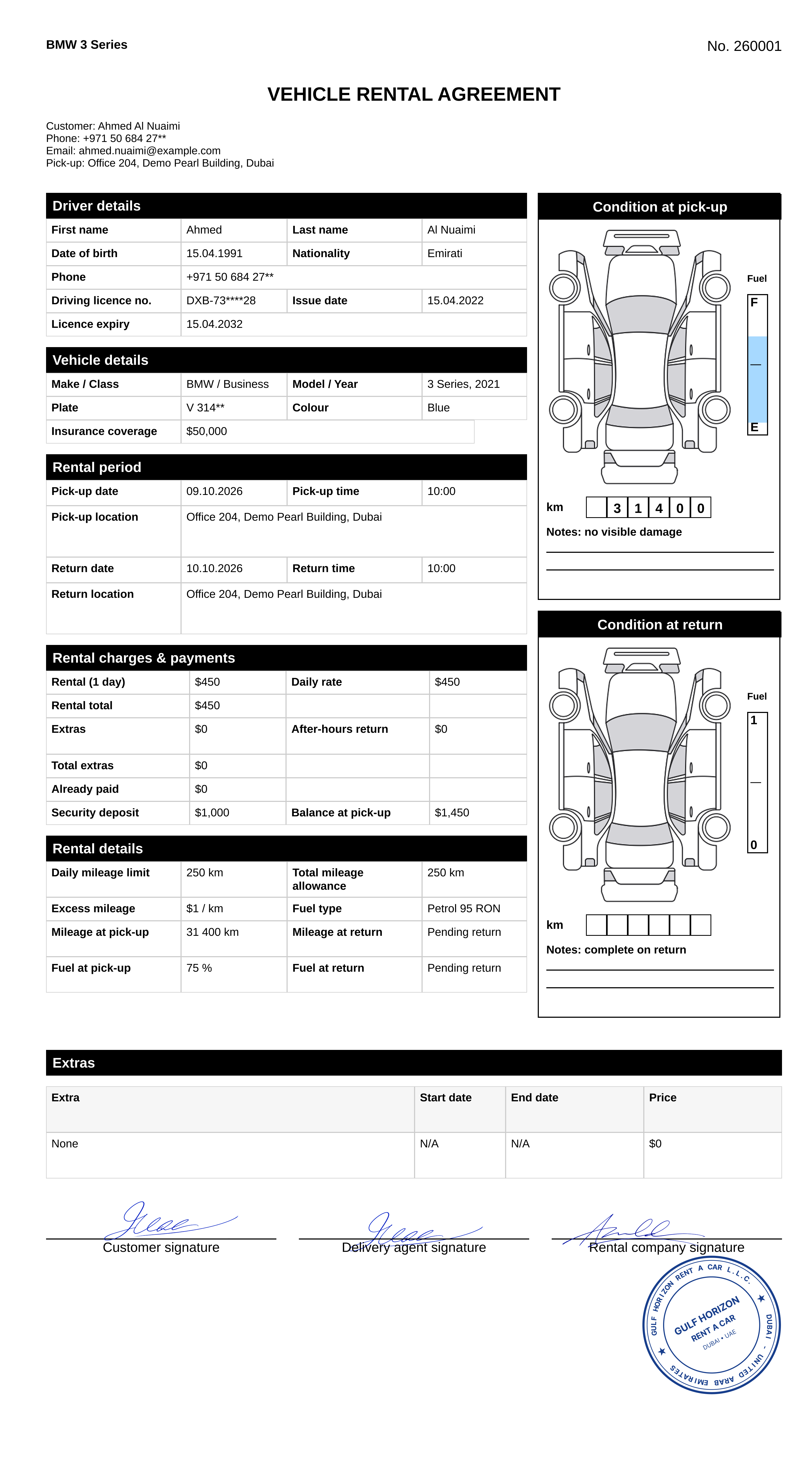
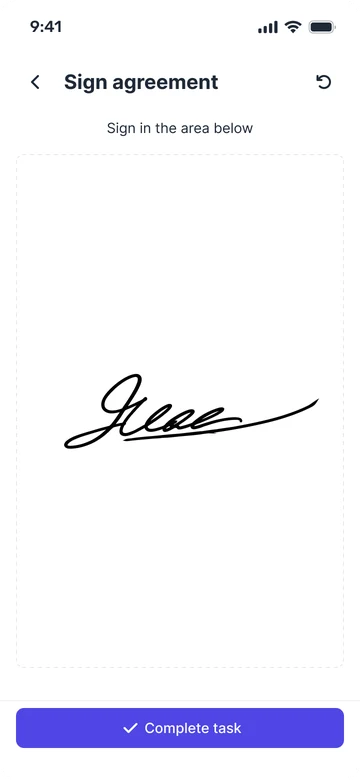
Rental Booster prepares the agreement from the booking and your configured terms. Capture a digital signature during handover, send the document to the customer, and keep it with their record in CRM.
Booking details flow into the agreement, including the rental period, vehicle and customer.
Configure the conditions, restrictions and penalties that belong in your agreement.
Collect the digital signature, share the document with the customer and retain it in CRM.
The cost of manual work
Enter your team’s hourly cost, adjust the rental volume and time, then explore the potential monthly value.
Start here — enter the cost of one hour of your team’s time.
Use your own estimates. These steps are only part of the rental workflow.
Illustrative calculation using your inputs and selected reduction. It does not represent measured customer results.
Enter your hourly team cost to see the monthly value.
This is the value of team capacity in the selected scenario, not a reduction in payroll costs.
Formula: rentals × minutes per rental ÷ 60. The reduction is an adjustable example.
A practical first rollout
We begin with your fleet, market, channels and current process—then show the relevant workflow and agree a focused first rollout scope.
Tell us about your fleet, market, channels and main operational challenge.
See the workflow relevant to your operation in a personal demonstration.
Agree a limited first scope, including the required data, integrations and market checks.
Timing and implementation requirements are confirmed after qualification.
Practical answers
Pricing, payments and what it takes to get started.
Pricing depends on your fleet, channels, integrations and setup scope. We’ll discuss your operation and provide pricing for your setup.
Submit a trial request with your fleet and contact details. Our team will contact you and help set up your 30-day free trial.
Rental Booster runs in a web browser. No software installation required.
Rental Booster can bring conversations from WhatsApp, Facebook Messenger, Instagram, Telegram and Viber into one workspace. Available channels and connection requirements depend on your market and accounts. We confirm the setup during onboarding.
No. The Rental Booster AI assistant is coming soon. Planned capabilities include responses to customer messages, availability and pricing checks, and moving qualified inquiries to a booking or a team handoff. Leave your details to be contacted when it becomes available.
During onboarding, we help you bring in the information needed to start using Rental Booster. Customer lists can be imported from Excel or CSV; other information may need to be entered manually. We’ll agree on the scope and approach for your setup.
No. Rental Booster records payments, deposits and balances against each booking, so your team can track what has been paid and what remains due. Payments are collected outside Rental Booster.
We help your team with onboarding, training and the information needed to start using Rental Booster. We’ll agree on the support arrangements for your rollout.
30-day free trial
Tell us about your fleet. Our team will contact you and help set up your 30-day free trial.